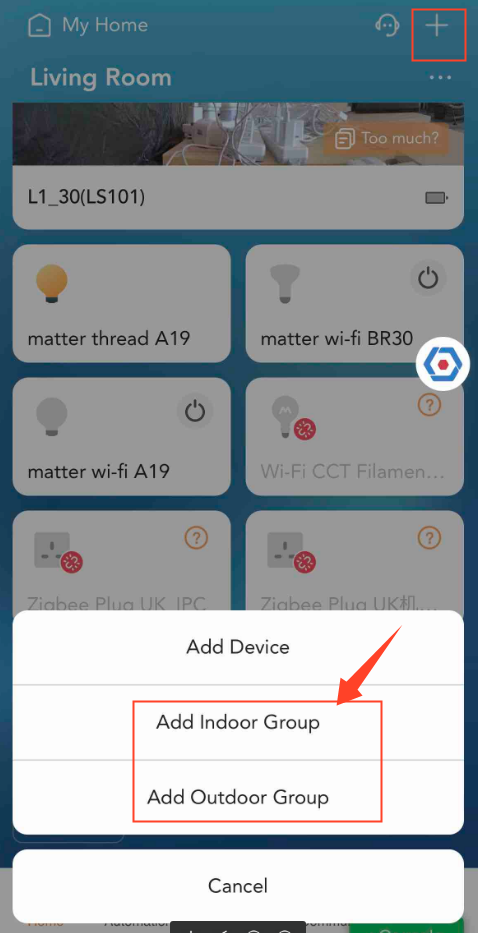
Step 1: On the Home page click the + tip, then choose Add Outdoor Group/Add Intdoor Group.
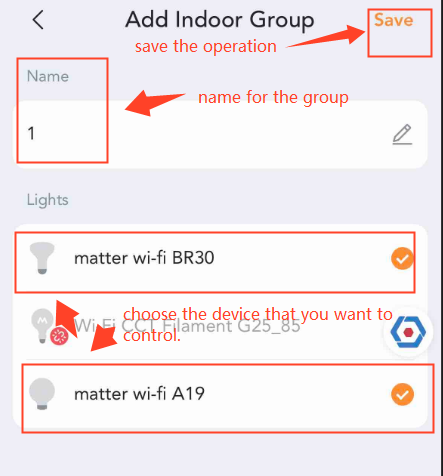
Step 2: Name the group and choose the “online” devices that you want to control, then save your settings.
Step 3: You can find the group on the Home page.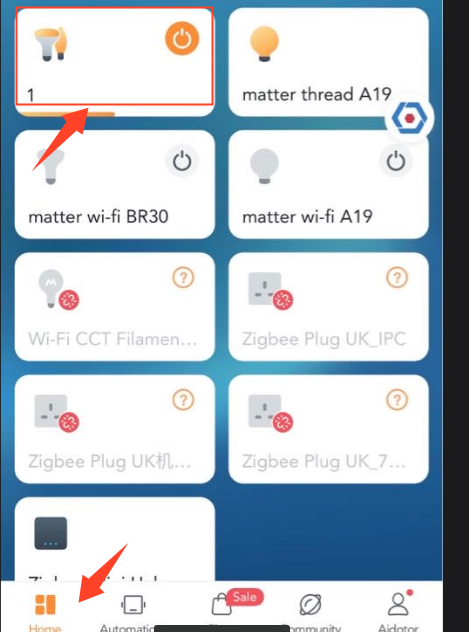
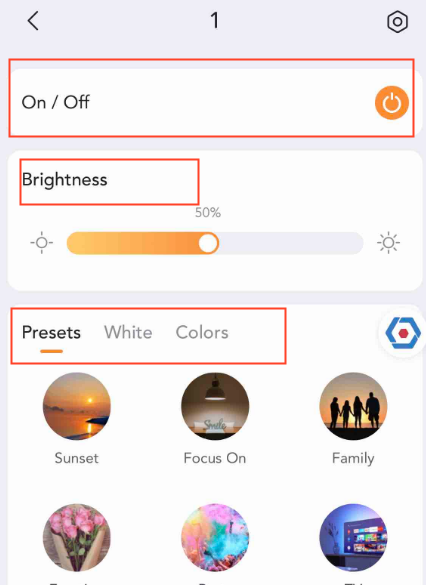
Step 4: You can control the devices at once in the group.