1. On the Home page, tap the setting icon on the top right>Manage Rooms>Select a Room.
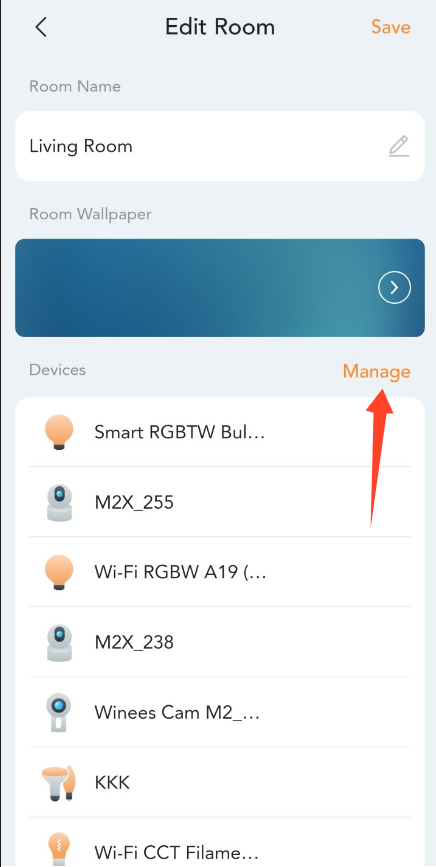
2. Tap Manage. Devices can be sorted by pressing and moving the icon with three horizontal lines.

1. On the Home page, tap the setting icon on the top right>Manage Rooms>Select a Room.
2. Tap Manage. Devices can be sorted by pressing and moving the icon with three horizontal lines.